Your bank already texts you. Safi reads the texts.
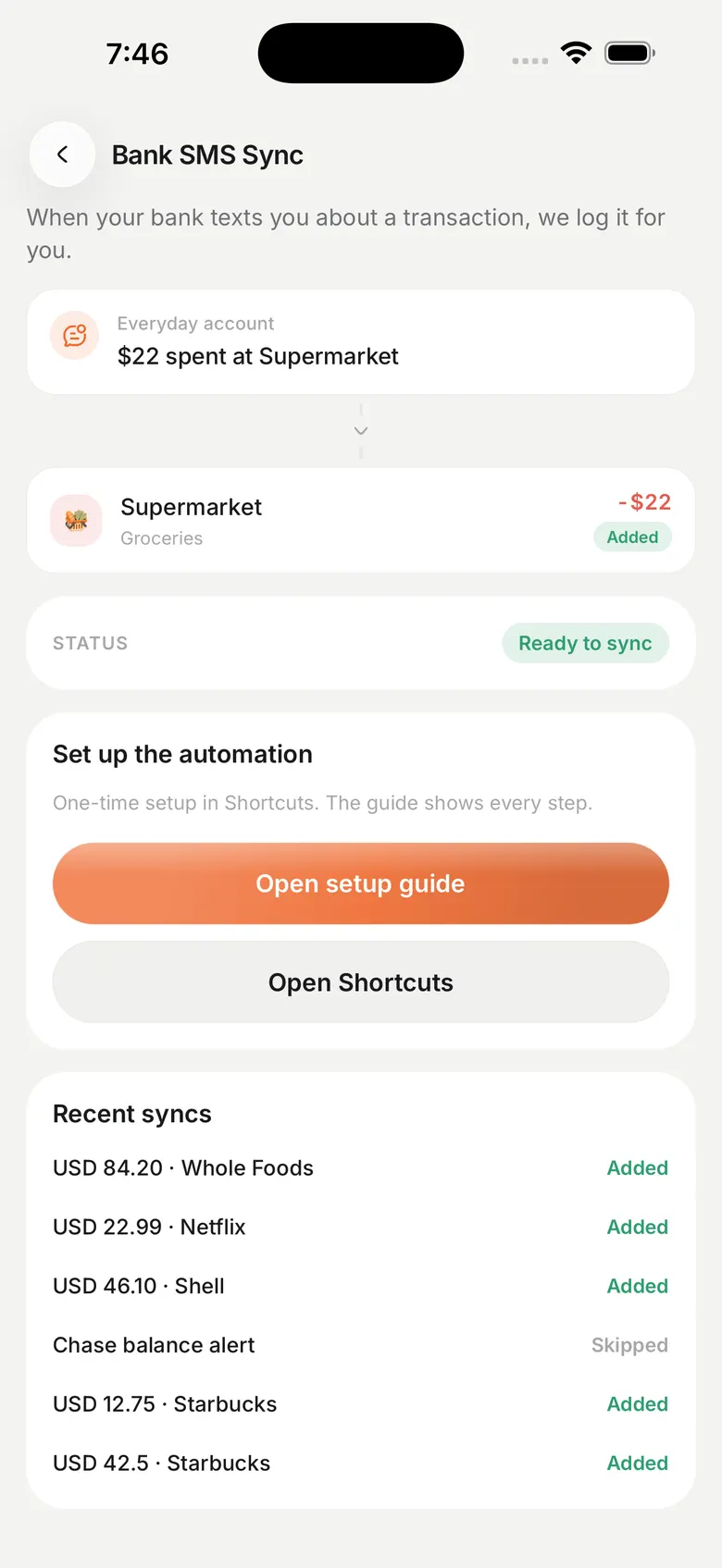
Every card swipe and transfer sends you a message. Safi takes the amount, the shop and the account out of it, files the transaction, and asks you about anything it is unsure of.
Pro
Why this and not a bank connection
The usual way to fill a budgeting app automatically is an aggregator that logs into your bank on your behalf. You hand over your banking credentials, and it works only for banks the aggregator has already integrated. Outside a handful of markets that list is short, and in plenty of others it is close to empty.
The alert is a different starting point. It arrives on your phone whether or not anyone has integrated anything, it names the amount and the merchant, and reading it needs no permission from your bank. Safi never asks for your online banking username, password, PIN or card number, and it has no connection to your bank at all.
Setting it up once
On iPhone you install a Shortcut. It watches for messages that look like bank alerts and sends that text to Safi, which reads it and books the transaction. Setup is a few jobs rather than a wall of screens, and your currency is filled in before you start.
On Android you grant notification access. Safi reads bank texts shown by SMS apps, and alerts from bank and wallet apps on its list. It reads no others. Either way the feature is off until you turn it on, and revoking the permission or the sync token in Settings stops all further reading straight away.
What lands, and what waits for you
A clean alert books as a real transaction: the shop rather than a wall of SMS text, the right amount, the right account, and a category. A QNB purchase comes in as the shop. Amazon Prime, Circle K, Talabat and IPN transfers all come in named.
When an alert has two numbers in it, or a format Safi has not seen before, it does not guess. The message opens as a check with the amount, shop and account already filled in, and you add it, skip it, or edit it. Home tells you how many are waiting. Messages with no amount in them are thrown away.
- Put the last four digits of a card on an account and that card's texts land there instead of on cash
- A notification when something books, so you know without opening the app
- Arabic and English alert formats, from the same bank
What Safi keeps
The amount, the merchant and the date become a transaction. Safi also keeps a short excerpt of the message, so that when a transaction appears you can see which alert produced it. That excerpt is the difference between a ledger you trust and a list of numbers you have to take on faith.
Message sync is part of Pro. Everything else on this page, including adding transactions by hand and importing a statement, works on the free tier.
Questions people ask
Does Safi read all my messages?
No. On iPhone the Shortcut you install decides which messages to forward, and it looks for bank alerts. On Android Safi reads notifications from SMS apps and from bank and wallet apps on its list, and from no others. Anything without an amount in it is discarded rather than stored.
Which banks does it work with?
Any bank that sends you a transaction alert. Safi already knows many formats in Arabic and English. A format it has not seen opens as a check for you to confirm rather than being filed wrong, and formats get added over time.
Do I have to give Safi my banking password?
Never. Safi has no connection to your bank and no way to log in as you. There is no credential to hand over and nothing an attacker could take from us that would let them touch your money.
Is it on iPhone and Android?
Yes. Safi is built for both, and both store listings go live together. Neither is listed yet.