Know you are heading over budget while you can still do something
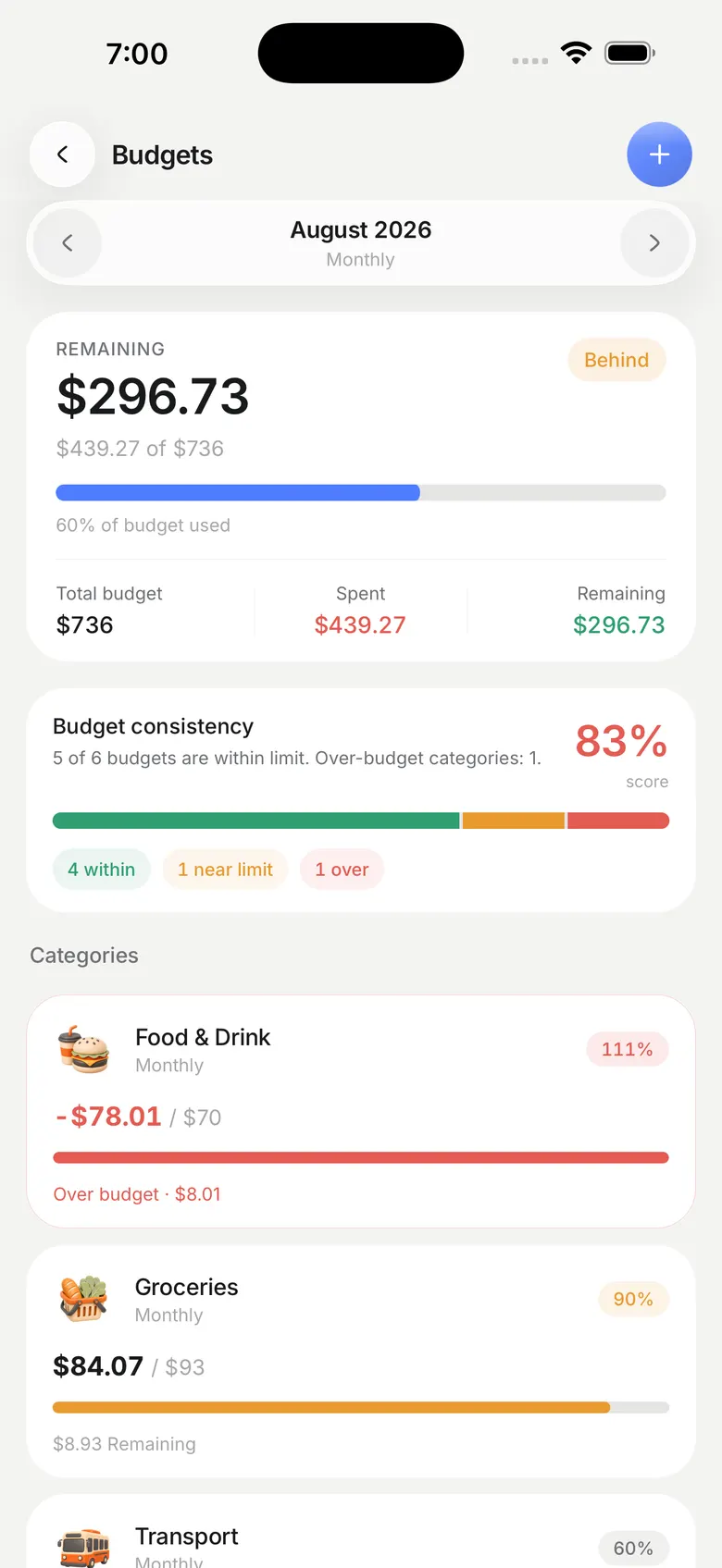
A budget that only tells you the answer on the last day of the month is a report, not a budget. Safi shows the pace you are on against the pace your limit allows.
The pace line
The Dashboard draws what you have spent against a dashed guide showing the pace your budget allows. Sitting above the guide means the month ends over, and the chart says by how much. Hold any day to read that day's figure, or tap it to open the transactions behind it.
This is the part most budgeting apps get wrong by omission. A progress bar filling up tells you where you are. It does not tell you whether the rate you are going at gets you to the end of the month, which is the only question worth asking on the twelfth.
The ones closest to the edge, first
Under the chart are four rings, sorted so anything over or nearly over is the first thing you see. Budgets you are comfortably inside do not compete for the same attention.
In your transaction list, an ordinary expense uses the normal text colour. Only a row that broke its budget turns red, with Over budget written underneath it. Painting every expense red taught people to ignore the colour.
Budgets that start themselves
A budget you have to recreate every month is a budget you keep for two months. Safi rolls yours into the new month on its own, and Pro can copy a whole month's set of budgets across in one go.
Because most of your spending arrives from your bank's own alerts, the numbers move without you doing anything. A budget is only honest if it is counting everything, and typing transactions in by hand is where that quietly stops being true.
- Two monthly budgets on the free tier, unlimited on Pro
- Budget by category, in the base currency you chose
- Tap a ring to open that category's transactions for the period
Questions people ask
How many budgets can I have?
Two monthly budgets on the free tier, which is enough for the two categories most people actually overspend on. Pro removes the cap.
Do budgets reset every month?
Yes. Safi carries your budgets into the new month without you setting them up again, and Pro can copy an entire month's set across at once.
What happens when I go over?
The row turns red and says Over budget underneath, and the ring for that category sorts to the front on your Dashboard. Safi does not block the spending or hide it.